
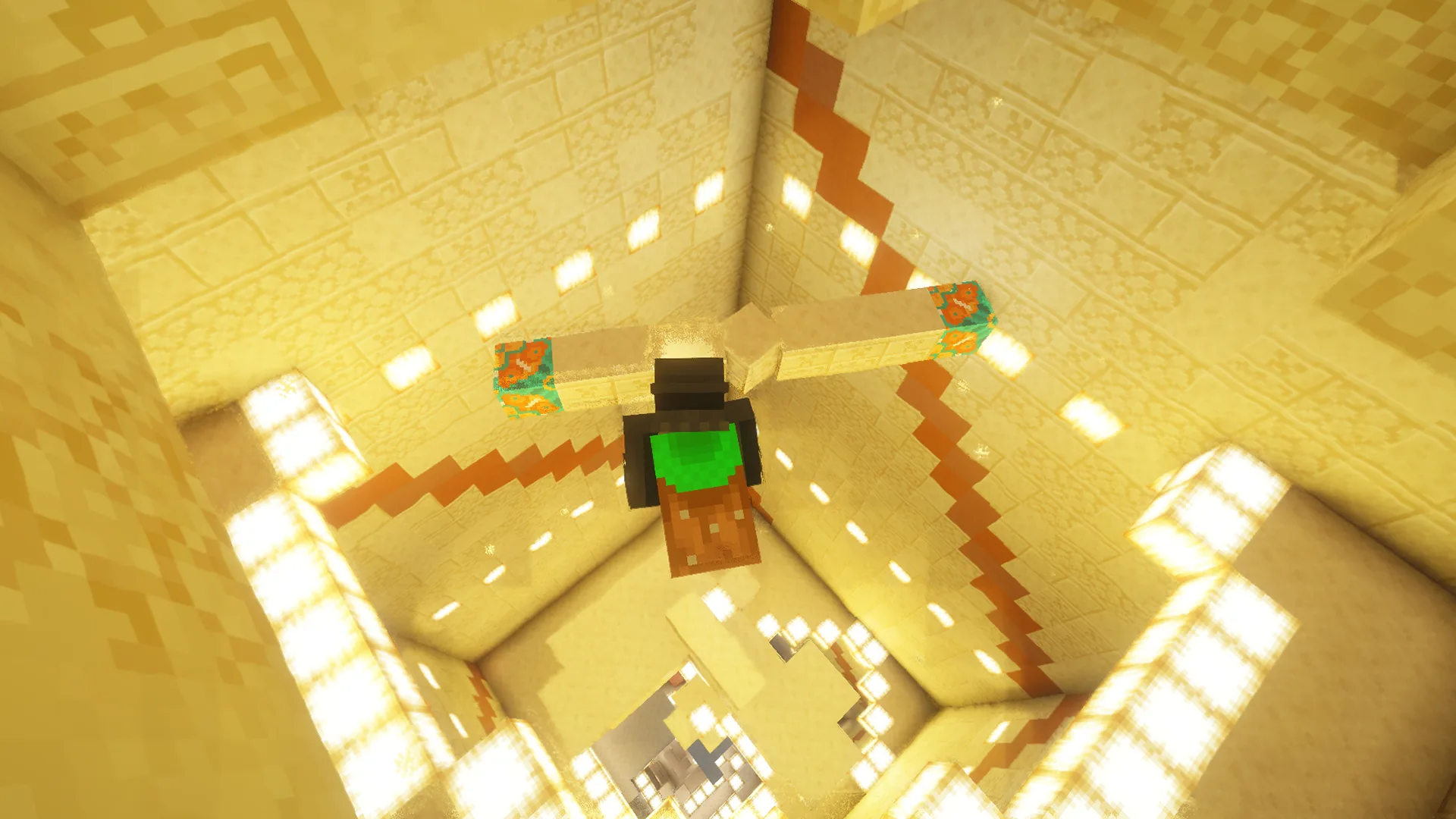
Minecraft Dropper
A Minecraft plugin inspired by the classic Dropper game mode!
Players must complete a series of challenging dropper levels by falling from great heights, dodging obstacles, and safely landing in the designated area.
Your viewers can either help you complete the levels or make the challenge even harder! They can interfere with your progress, create additional challenges, or help you safely reach your destination.
Test your reflexes, overcome increasingly challenging obstacles, and complete all dropper levels to claim victory!
Stay focused, dodge the obstacles, and survive the fall!
คำสั่ง

/dropper create [size]
ตัวอย่าง:
/dropper create 15
รายละเอียด:
Build the shaft from the bottom to the top of the world where you stand and start level 1. Size 9-31 (15).
/dropper delete
ตัวอย่าง:
/dropper delete
รายละเอียด:
Remove the shaft.
/dropper tp
ตัวอย่าง:
/dropper tp
รายละเอียด:
Onto the lid (adventure mode).
/dropper level <n>
ตัวอย่าง:
/dropper level 4
รายละเอียด:
Go to level n.
/dropper goal <levels>
ตัวอย่าง:
/dropper goal <levels>
รายละเอียด:
Levels in this run (default 100).
/dropper reset
ตัวอย่าง:
/dropper reset
รายละเอียด:
New run: level 1, new levels, goal from the config.
/dropper reroll
ตัวอย่าง:
/dropper reroll
รายละเอียด:
New levels from the current one on.
/dropper edit
ตัวอย่าง:
/dropper edit
รายละเอียด:
Shaft block protection on/off.

dropper push [n] {nickname}
ตัวอย่าง:
dropper push 1 {nickname}
รายละเอียด:
Push the falling player sideways (n pushes).

/dropper fast [seconds] {nickname}
ตัวอย่าง:
/dropper fast 10 {nickname}
รายละเอียด:
Faster fall.

/dropper slow [seconds] {nickname}
ตัวอย่าง:
/dropper slow 10 {nickname}
รายละเอียด:
Slower fall.

/dropper restart {nickname}
ตัวอย่าง:
/dropper restart {nickname}
รายละเอียด:
Back to the top of the level.

/dropper next [n] {nickname}
ตัวอย่าง:
/dropper next 5 {nickname}
รายละเอียด:
Skip n levels forward.

/dropper prev [n] {nickname}
ตัวอย่าง:
/dropper prev 5 {nickname}
รายละเอียด:
Go n levels back.

/dropper hint [seconds] {nickname}
ตัวอย่าง:
/dropper hint 10 {nickname}
รายละเอียด:
Show the way down.
No commands match your filters.
เคล็ดลับทั่วไปในการตั้งค่าเซิร์ฟเวอร์ Minecraft
- /gamerule keepInventory true — ตัวละครจะไม่ทำไอเทมและบล็อกหล่นเมื่อตาย
- /gamerule sendCommandFeedback false — ไม่แสดงคำสั่งที่เซิร์ฟเวอร์รันในแชต
- /time set day — ตั้งเวลาเป็นกลางวันบนเซิร์ฟเวอร์
- /gamerule doDaylightCycle false — หยุดวงจรกลางวัน-กลางคืน
- /gamerule doWeatherCycle false — ฝนจะไม่สลับเป็นแดดและกลับกัน
- /weather clear — ตั้งให้สภาพอากาศแจ่มใส
- /gamemode creative — เปลี่ยนโหมดเป็นครีเอทีฟ
- /gamemode survival — เปลี่ยนโหมดเป็นเซอร์ไววัล
คำสั่งเหล่านี้จะใช้ได้ก็ต่อเมื่อคุณเป็นแอดมินของเซิร์ฟเวอร์ (OP) หากต้องการเป็นแอดมิน ให้พิมพ์ลงในเทอร์มินัลของเซิร์ฟเวอร์ว่า op NickName