
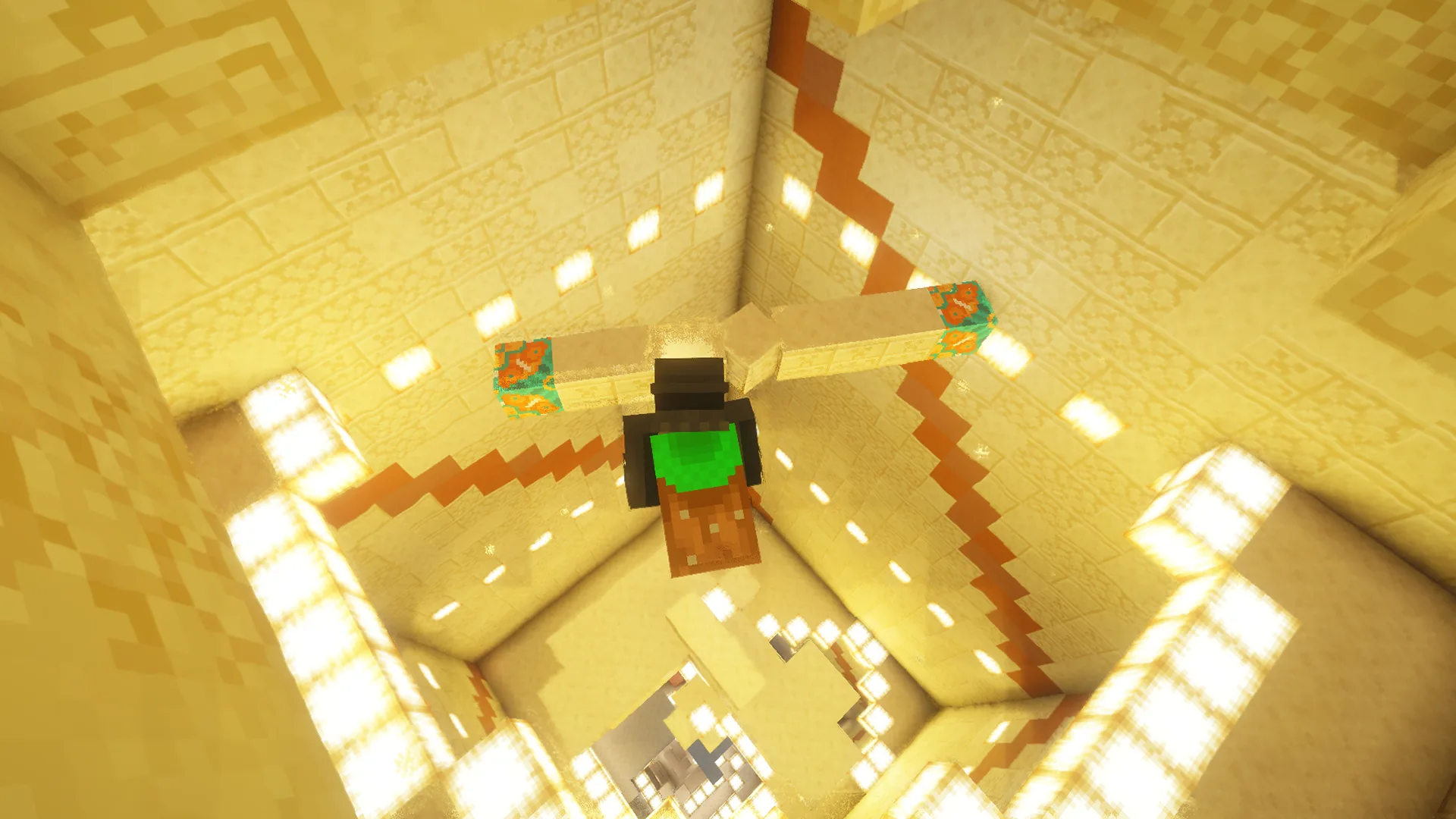
Minecraft Dropper
A Minecraft plugin inspired by the classic Dropper game mode!
Players must complete a series of challenging dropper levels by falling from great heights, dodging obstacles, and safely landing in the designated area.
Your viewers can either help you complete the levels or make the challenge even harder! They can interfere with your progress, create additional challenges, or help you safely reach your destination.
Test your reflexes, overcome increasingly challenging obstacles, and complete all dropper levels to claim victory!
Stay focused, dodge the obstacles, and survive the fall!
Polecenia

/dropper create [size]
Przykład:
/dropper create 15
Opis:
Build the shaft from the bottom to the top of the world where you stand and start level 1. Size 9-31 (15).
/dropper delete
Przykład:
/dropper delete
Opis:
Remove the shaft.
/dropper tp
Przykład:
/dropper tp
Opis:
Onto the lid (adventure mode).
/dropper level <n>
Przykład:
/dropper level 4
Opis:
Go to level n.
/dropper goal <levels>
Przykład:
/dropper goal <levels>
Opis:
Levels in this run (default 100).
/dropper reset
Przykład:
/dropper reset
Opis:
New run: level 1, new levels, goal from the config.
/dropper reroll
Przykład:
/dropper reroll
Opis:
New levels from the current one on.
/dropper edit
Przykład:
/dropper edit
Opis:
Shaft block protection on/off.

dropper push [n] {nickname}
Przykład:
dropper push 1 {nickname}
Opis:
Push the falling player sideways (n pushes).

/dropper fast [seconds] {nickname}
Przykład:
/dropper fast 10 {nickname}
Opis:
Faster fall.

/dropper slow [seconds] {nickname}
Przykład:
/dropper slow 10 {nickname}
Opis:
Slower fall.

/dropper restart {nickname}
Przykład:
/dropper restart {nickname}
Opis:
Back to the top of the level.

/dropper next [n] {nickname}
Przykład:
/dropper next 5 {nickname}
Opis:
Skip n levels forward.

/dropper prev [n] {nickname}
Przykład:
/dropper prev 5 {nickname}
Opis:
Go n levels back.

/dropper hint [seconds] {nickname}
Przykład:
/dropper hint 10 {nickname}
Opis:
Show the way down.
No commands match your filters.
Ogólne wskazówki konfiguracji serwera Minecraft
- /gamerule keepInventory true — Twoja postać nie upuszcza przedmiotów ani bloków po śmierci.
- /gamerule sendCommandFeedback false — nie pokazuje na czacie komend wykonywanych przez serwer.
- /time set day — ustawia dzień na serwerze.
- /gamerule doDaylightCycle false — wyłącza cykl dnia i nocy.
- /gamerule doWeatherCycle false — deszcz nie zmienia się w słońce i odwrotnie.
- /weather clear — ustawia pogodną aurę na serwerze.
- /gamemode creative — zmienia tryb gry na kreatywny.
- /gamemode survival — zmienia tryb gry na survival.
Te polecenia działają tylko, jeśli jesteś administratorem serwera (OP). Aby zostać administratorem, wpisz w terminalu serwera: op NickName.