
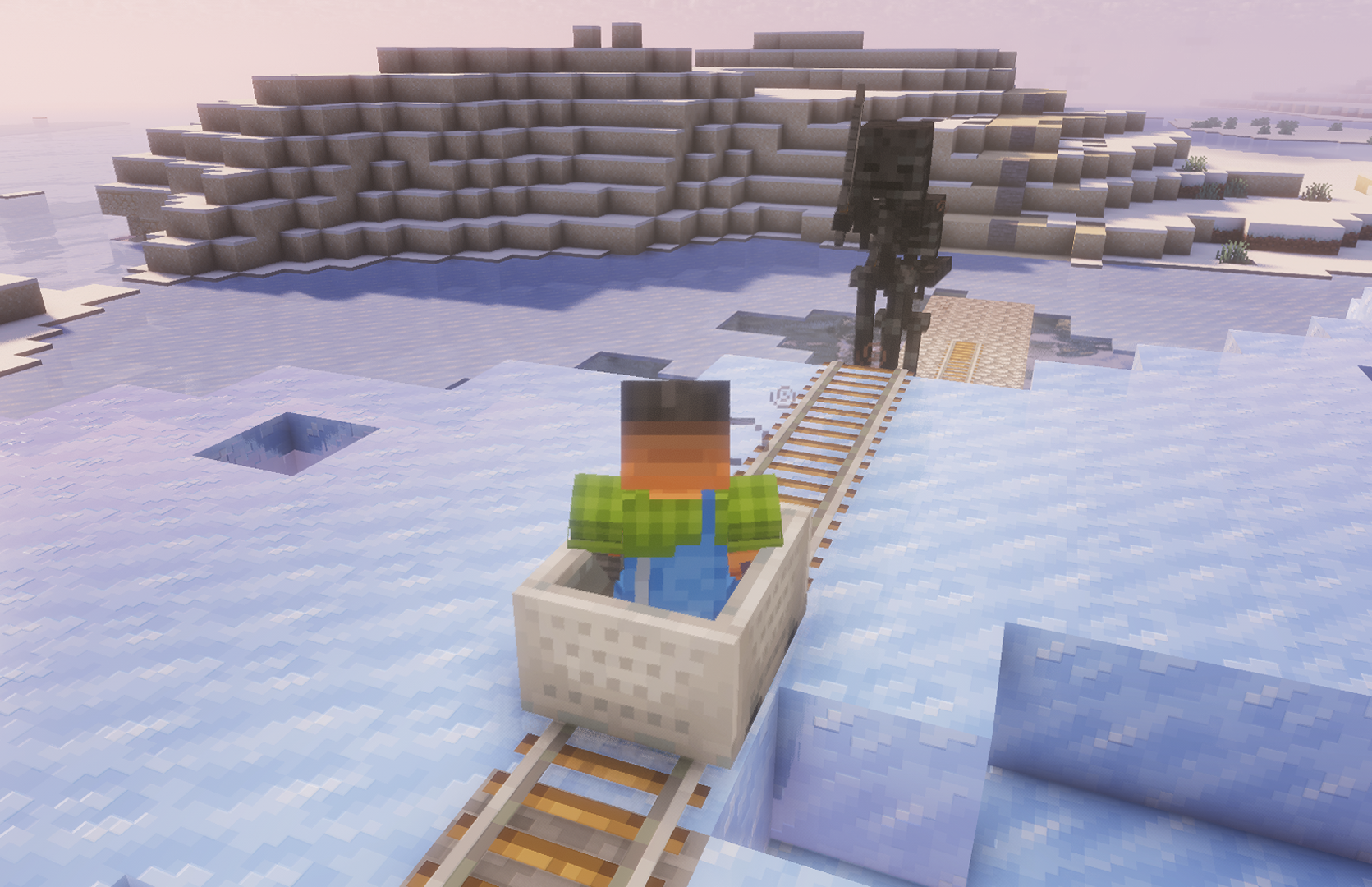
On your way to victory, monsters spawned by your viewers will appear. Your task is to shoot them before they knock you back and slow down your progress.
Viewers can also help you by triggering various beneficial effects and interactions throughout the game.
Comandos

/railrush create [radius]
Exemplo:
/railrush create 500
Descrição:
Start and create an arena.
/railrush delete
Exemplo:
/railrush delete
Descrição:
Stop and delete the arena.
![/railrush armor_zombie [amount] {nickname}](https://dp0vbx02w3wzh.cloudfront.net/images/public/Minecraft/1790604342654_d6fbe0b2-fad3-400e-8be7-9b4115f6ccd0.webp)
/railrush armor_zombie [amount] {nickname}
Exemplo:
/railrush armor_zombie 5 {nickname}
Descrição:
Spawn Armor Zombie.
![/railrush zombie [amount] {nickname}](https://dp0vbx02w3wzh.cloudfront.net/images/public/Minecraft/1790604342655_9d390384-5088-4c58-a4f8-e58888d596d7.webp)
/railrush zombie [amount] {nickname}
Exemplo:
/railrush zombie 3 {nickname}
Descrição:
Spawn Zombie.
![/railrush enderman [amount] {nickname}](https://dp0vbx02w3wzh.cloudfront.net/images/public/Minecraft/1790604342654_cfa169d8-e523-4d76-9786-f562ff052194.webp)
/railrush enderman [amount] {nickname}
Exemplo:
/railrush enderman 3 {nickname}
Descrição:
Spawn Enderman.
![/railrush piglin_brute [amount] {nickname}](https://dp0vbx02w3wzh.cloudfront.net/images/public/Minecraft/1790604342655_08aefcc6-91f3-4972-9ed6-73d33e4ac5ea.webp)
/railrush piglin_brute [amount] {nickname}
Exemplo:
/railrush piglin_brute 4 {nickname}
Descrição:
Spawn Piglin Brute.

/railrush ravager 3 {nickname}
Exemplo:
/railrush ravager 3 {nickname}
Descrição:
Spawn Ravager.
![/railrush vindicator [amount] {nickname}](https://dp0vbx02w3wzh.cloudfront.net/images/public/Minecraft/1790604342655_61e43a30-6a60-488b-adbb-39801281362b.webp)
/railrush vindicator [amount] {nickname}
Exemplo:
/railrush vindicator 10 {nickname}
Descrição:
Spawn Vindicator.
![/railrush wither_skeleton [amount] {nickname}](https://dp0vbx02w3wzh.cloudfront.net/images/public/Minecraft/1790604342655_b0232e0c-4ee2-48e2-93d0-3c108c592f42.webp)
/railrush wither_skeleton [amount] {nickname}
Exemplo:
/railrush wither_skeleton 10 {nickname}
Descrição:
Spawn Wither Skeleton.

/railrush slow
Exemplo:
/railrush slow
Descrição:
Trigger Slow event.

/railrush fast
Exemplo:
/railrush fast
Descrição:
Trigger Fast event.
No commands match your filters.
Dicas gerais para configurar o servidor de Minecraft
- /gamerule keepInventory true — seu personagem não perde itens nem blocos ao morrer.
- /gamerule sendCommandFeedback false — não mostra no chat os comandos executados pelo servidor.
- /time set day — define o dia no servidor.
- /gamerule doDaylightCycle false — não alterna entre dia e noite.
- /gamerule doWeatherCycle false — a chuva não muda para sol e vice-versa.
- /weather clear — define clima limpo no servidor.
- /gamemode creative — muda o modo de jogo para criativo.
- /gamemode survival — muda o modo de jogo para sobrevivência.
Estes comandos só funcionam se você for administrador do servidor (OP). Para se tornar administrador, digite no terminal do servidor: op NickName.