
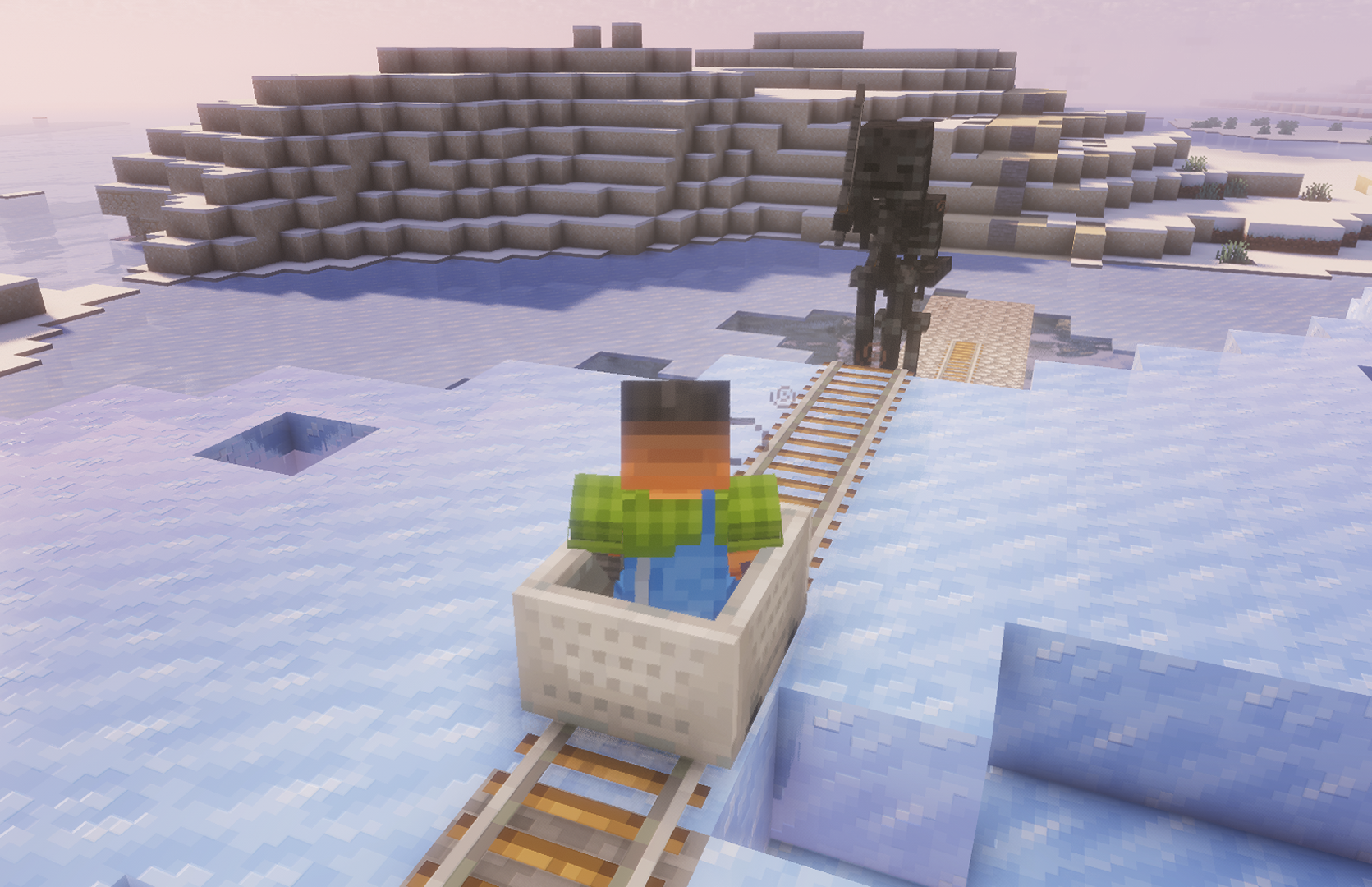
On your way to victory, monsters spawned by your viewers will appear. Your task is to shoot them before they knock you back and slow down your progress.
Viewers can also help you by triggering various beneficial effects and interactions throughout the game.
Commands

/railrush create [radius]
Example:
/railrush create 500
Description:
Start and create an arena.
/railrush delete
Example:
/railrush delete
Description:
Stop and delete the arena.
![/railrush armor_zombie [amount] {nickname}](https://dp0vbx02w3wzh.cloudfront.net/images/public/Minecraft/1790604342654_d6fbe0b2-fad3-400e-8be7-9b4115f6ccd0.webp)
/railrush armor_zombie [amount] {nickname}
Example:
/railrush armor_zombie 5 {nickname}
Description:
Spawn Armor Zombie.
![/railrush zombie [amount] {nickname}](https://dp0vbx02w3wzh.cloudfront.net/images/public/Minecraft/1790604342655_9d390384-5088-4c58-a4f8-e58888d596d7.webp)
/railrush zombie [amount] {nickname}
Example:
/railrush zombie 3 {nickname}
Description:
Spawn Zombie.
![/railrush enderman [amount] {nickname}](https://dp0vbx02w3wzh.cloudfront.net/images/public/Minecraft/1790604342654_cfa169d8-e523-4d76-9786-f562ff052194.webp)
/railrush enderman [amount] {nickname}
Example:
/railrush enderman 3 {nickname}
Description:
Spawn Enderman.
![/railrush piglin_brute [amount] {nickname}](https://dp0vbx02w3wzh.cloudfront.net/images/public/Minecraft/1790604342655_08aefcc6-91f3-4972-9ed6-73d33e4ac5ea.webp)
/railrush piglin_brute [amount] {nickname}
Example:
/railrush piglin_brute 4 {nickname}
Description:
Spawn Piglin Brute.

/railrush ravager 3 {nickname}
Example:
/railrush ravager 3 {nickname}
Description:
Spawn Ravager.
![/railrush vindicator [amount] {nickname}](https://dp0vbx02w3wzh.cloudfront.net/images/public/Minecraft/1790604342655_61e43a30-6a60-488b-adbb-39801281362b.webp)
/railrush vindicator [amount] {nickname}
Example:
/railrush vindicator 10 {nickname}
Description:
Spawn Vindicator.
![/railrush wither_skeleton [amount] {nickname}](https://dp0vbx02w3wzh.cloudfront.net/images/public/Minecraft/1790604342655_b0232e0c-4ee2-48e2-93d0-3c108c592f42.webp)
/railrush wither_skeleton [amount] {nickname}
Example:
/railrush wither_skeleton 10 {nickname}
Description:
Spawn Wither Skeleton.

/railrush slow
Example:
/railrush slow
Description:
Trigger Slow event.

/railrush fast
Example:
/railrush fast
Description:
Trigger Fast event.
No commands match your filters.
General tips for setting up the Minecraft server
- /gamerule keepInventory true — your character will not drop items and blocks after death.
- /gamerule sendCommandFeedback false — won't show in the game chat what commands the server is executing.
- /time set day — set the day on the server.
- /gamerule doDaylightCycle false — won't change from day to night and back.
- /gamerule doWeatherCycle false — rain won't change to sun and back.
- /weather clear — set clear weather on the server.
- /gamemode creative — change your game mode to creative.
- /gamemode survival — change your game mode to survival.
These commands only work if you are an administrator on the server (OP). To make yourself an administrator, enter the command into the server terminal: op NickName.