
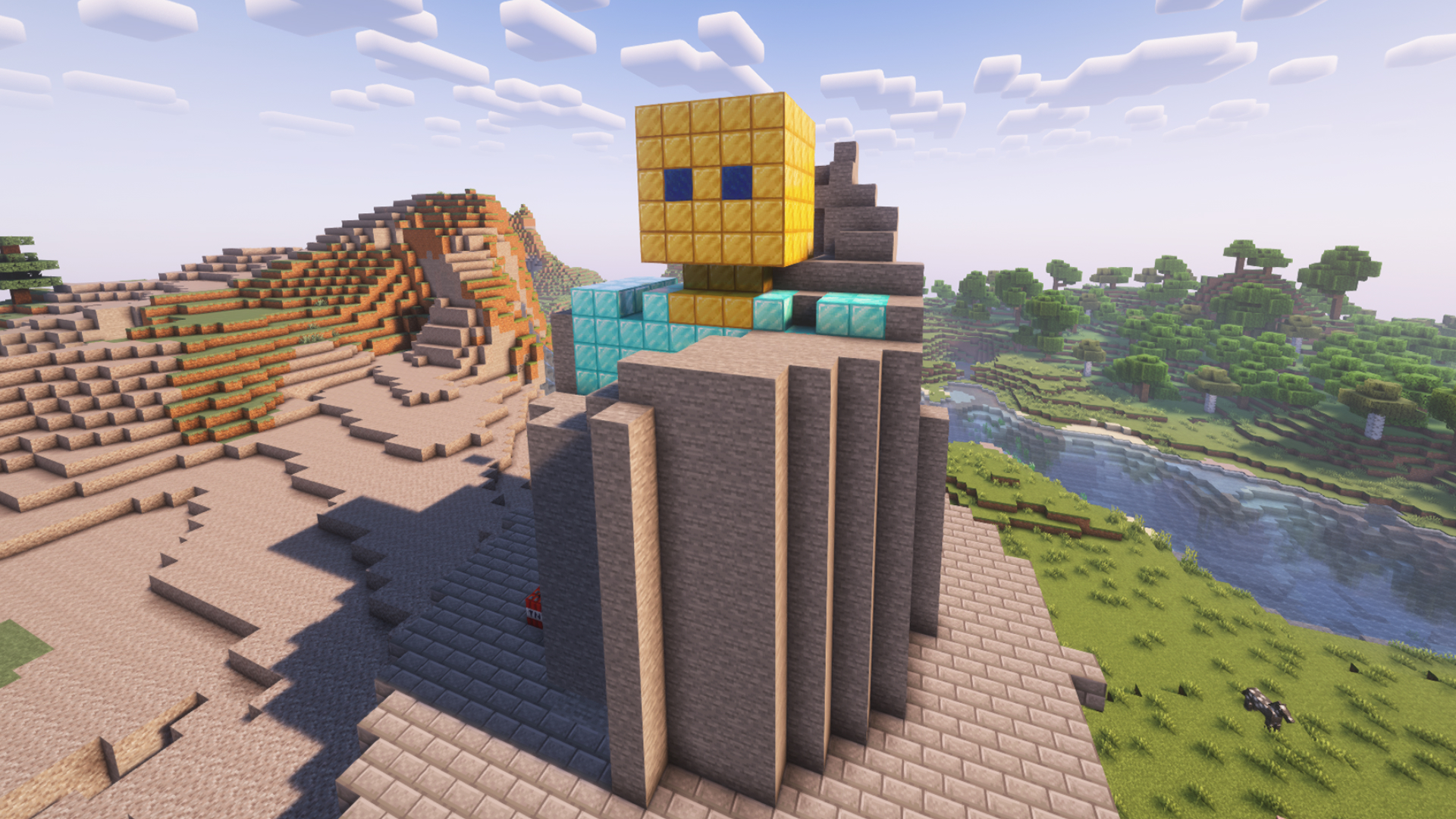
Mini-game for interactive streams where you need to clear a statue.
The plugin is available for installation in StreamToEarn for PRO subscribers.
In this mode, you can fly in Survival mode immediately after creating the platform or by using the /fly command.
Note that the pickaxe is less effective in the air, so it’s better to land by pressing the space bar twice.
Your viewers can send you various blocks with different durability levels, or trigger TNT to speed up the digging process.
We also added an edit mode, which allows you to create any sculpture you like.
If more blocks are summoned than the base height, they will stack upward into the sky, creating a cumulative effect from viewer gifts.
There are also various commands for buffs, lightning, and other effects to make your streams more dynamic.
/statue load_statue -
This command allows you to change the statue to another saved or default one. It also lets you switch to a statue you previously built and saved after a server restart or on another streaming day.
To create your own statue: First create a basic one: /statue create Then load your saved statue: /statue load_statue "statue-1"
명령어

/statue create
/statue delete
/statue tp
/statue fly
/statue load_statue default
/statue edit_mode

/statue clear

/statue fill

/statue tnt 3 {nickname}

/statue weaktnt 5 {nickname}

/statue strongtnt 1 <name>

/statue lightning 3

/statue spawnblock cobblestone

/statue slow 10

statue fast 10

/statue removeblock 10
Minecraft 서버 설정 일반 팁
- /gamerule keepInventory true — 사망 시 아이템과 블록을 떨어뜨리지 않습니다.
- /gamerule sendCommandFeedback false — 서버가 실행하는 명령어를 채팅에 표시하지 않습니다.
- /time set day — 서버 시간을 낮으로 설정합니다.
- /gamerule doDaylightCycle false — 낮과 밤의 주기를 멈춥니다.
- /gamerule doWeatherCycle false — 비와 맑음이 바뀌지 않습니다.
- /weather clear — 서버를 맑은 날씨로 설정합니다.
- /gamemode creative — 게임 모드를 크리에이티브로 변경합니다.
- /gamemode survival — 게임 모드를 서바이벌로 변경합니다.
이 명령어들은 서버 관리자(OP)일 때만 작동합니다. 자신을 관리자로 만들려면 서버 터미널에 op NickName을 입력하세요.