
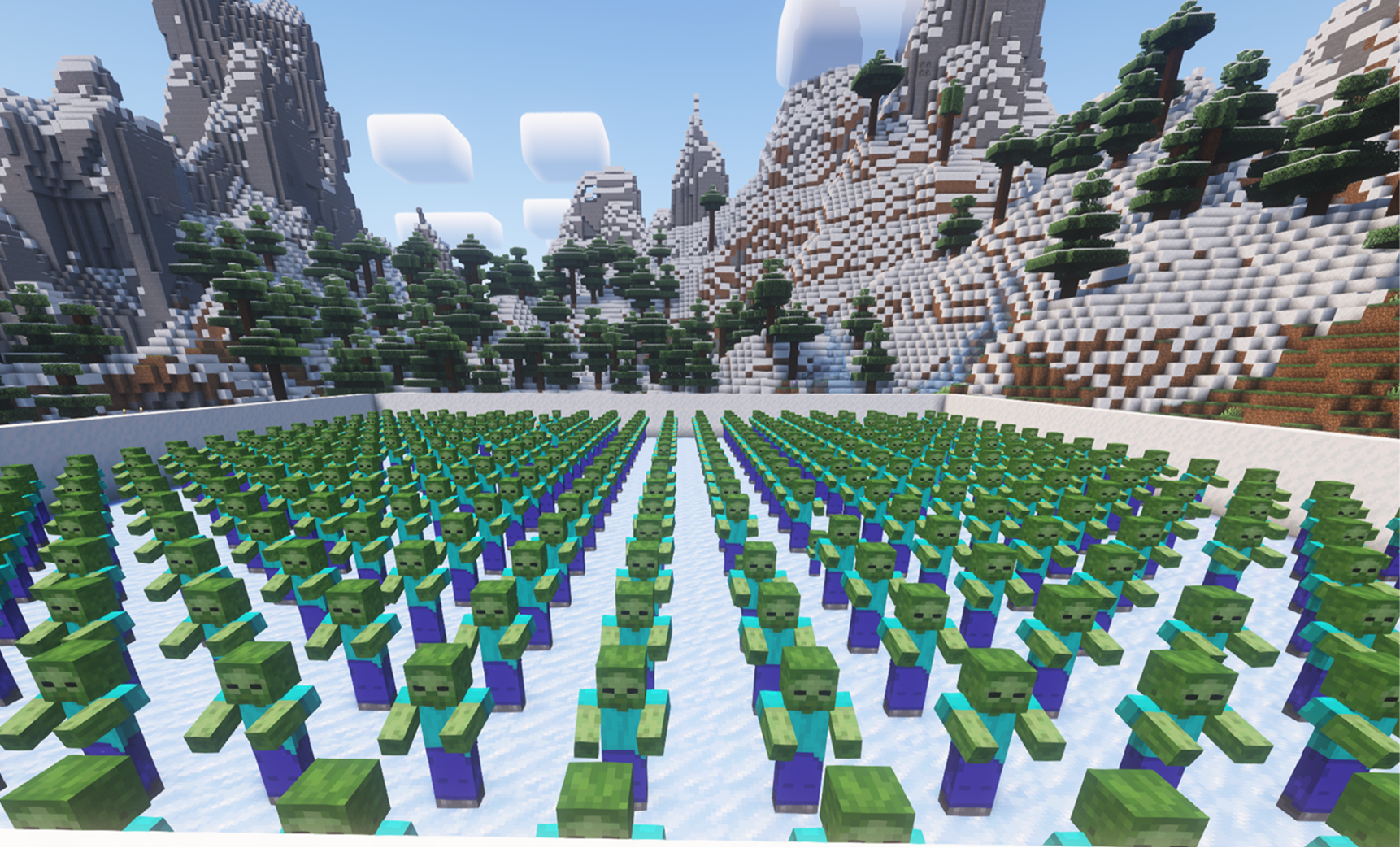
S2E Iced Arena

In this plugin, the player must clear the arena of zombies. All zombies start as statues and come to life only when they take damage. Viewers can spawn new statues or bring existing ones to life in various ways.

Herunterladen fürWindows

Video-Anleitung

The Iced Arena is created with the command: /icedarena create

In this mode, you need to defeat all the mobs that are standing without AI, but if they take damage, they immediately come to life. Basic player events add various mobs that make the goal of winning more difficult. Since they don’t move at first, you can control the pace of the game—unless someone throws TNT at you.

We’ve also added various events like arrows, upgrades, chests, and more. When there’s not enough space for mobs, they will wait for it in a virtual queue. You can find more details and all available commands on the plugin’s page.

This plugin is available for Pro users and is installed just like other plugins from the plugin manager.

If you have any wishes or suggestions, don’t hesitate to contact our support. We’ll also be very grateful for a like and for checking out our other videos.

Befehle

No image
/icedarena create
Beispiel: /icedarena create
Beschreibung: Create game.
No image
/icedarena delete
Beispiel: /icedarena delete
Beschreibung: Delete game.
No image
/icedarena witherskeleton {armor} {nickname}
Beispiel: /icedarena witherskeleton netherite {nickname}
Beschreibung: Spawn wither skeleton with diamond\gold\iron\netherite\none armor and name.
No image
/icedarena witch {nickname}
Beispiel: /icedarena witch {nickname}
Beschreibung: Spawn witch with name.
No image
/icedarena tp
Beispiel: /icedarena tp
Beschreibung: Teleport to arena.
No image
/icedarena kill
Beispiel: /icedarena kill
Beschreibung: Kill all mobs.
No image
/icedarena counter
Beispiel: /icedarena counter
Beschreibung: Disable/enable entities counter.
No image
/icedarena revive_mobs {count}
Beispiel: /icedarena revive_mobs 10
Beschreibung: Revives the number of zombies specified in the {number} parameter, or all of them if the parameter is not set.
No image
/icedarena upgrade_armor
Beispiel: /icedarena upgrade_armor
Beschreibung: Upgrade armor all mobs in arena.
No image
/icedarena zombie_boss {nickname}
Beispiel: /icedarena zombie_boss {nickname}
Beschreibung: Spawn zombie boss.
No image
/icedarena golem {number} {nickname}
Beispiel: /icedarena golem 5 {nickname}
Beschreibung: Spawns golems, where {number} = the number of hits on a zombie before disappearing.
No image
/icedarena keep_inventory
Beispiel: /icedarena keep_inventory
Beschreibung: Toggles true/false for item drops after a player's death.
No image
/icedarena equip_netherite
Beispiel: /icedarena equip_netherite
Beschreibung: Puts a full set of netherite armor on the player.
/icedarena arrows {count} {nickname}
Beispiel: /icedarena arrows 3 {nickname}
Beschreibung: Spawn arrows.
/icedarena tnt {count} {nickname}
Beispiel: /icedarena tnt 3 {nickname}
Beschreibung: Spawn TNTs.
/icedarena zombie {armor} {nickname}
Beispiel: /icedarena zombie diamond {nickname}
Beschreibung: Spawn zombie with diamond\gold\iron\netherite\none armor and name.
/icedarena creeper {nickname}
Beispiel: /icedarena creeper {nickname}
Beschreibung: Spawn creeper with name.
/icedarena floor_is_fire
Beispiel: /icedarena floor_is_fire
Beschreibung: Floor is a fire.
/icedarena chest
/icedarena chest
Beispiel: /icedarena chest
Beschreibung: Spawn chest.

Allgemeine Tipps zum Einrichten des Minecraft-Servers

  • /gamerule keepInventory true — dein Charakter verliert beim Tod keine Items und Blöcke.
  • /gamerule sendCommandFeedback false — die ausgeführten Server-Befehle erscheinen nicht im Chat.
  • /time set day — Tag auf dem Server einstellen.
  • /gamerule doDaylightCycle false — kein Wechsel zwischen Tag und Nacht.
  • /gamerule doWeatherCycle false — Regen wechselt nicht zu Sonne und zurück.
  • /weather clear — klares Wetter auf dem Server.
  • /gamemode creative — Spielmodus auf Kreativ umschalten.
  • /gamemode survival — Spielmodus auf Überleben umschalten.

Diese Befehle funktionieren nur, wenn du Administrator (OP) auf dem Server bist. Mache dich im Server-Terminal mit dem Befehl op NickName zum Administrator.