
Description
To set up the game, you need to install the appropriate plugin on your server using a plugin manager and enter the command: /battlefield create.
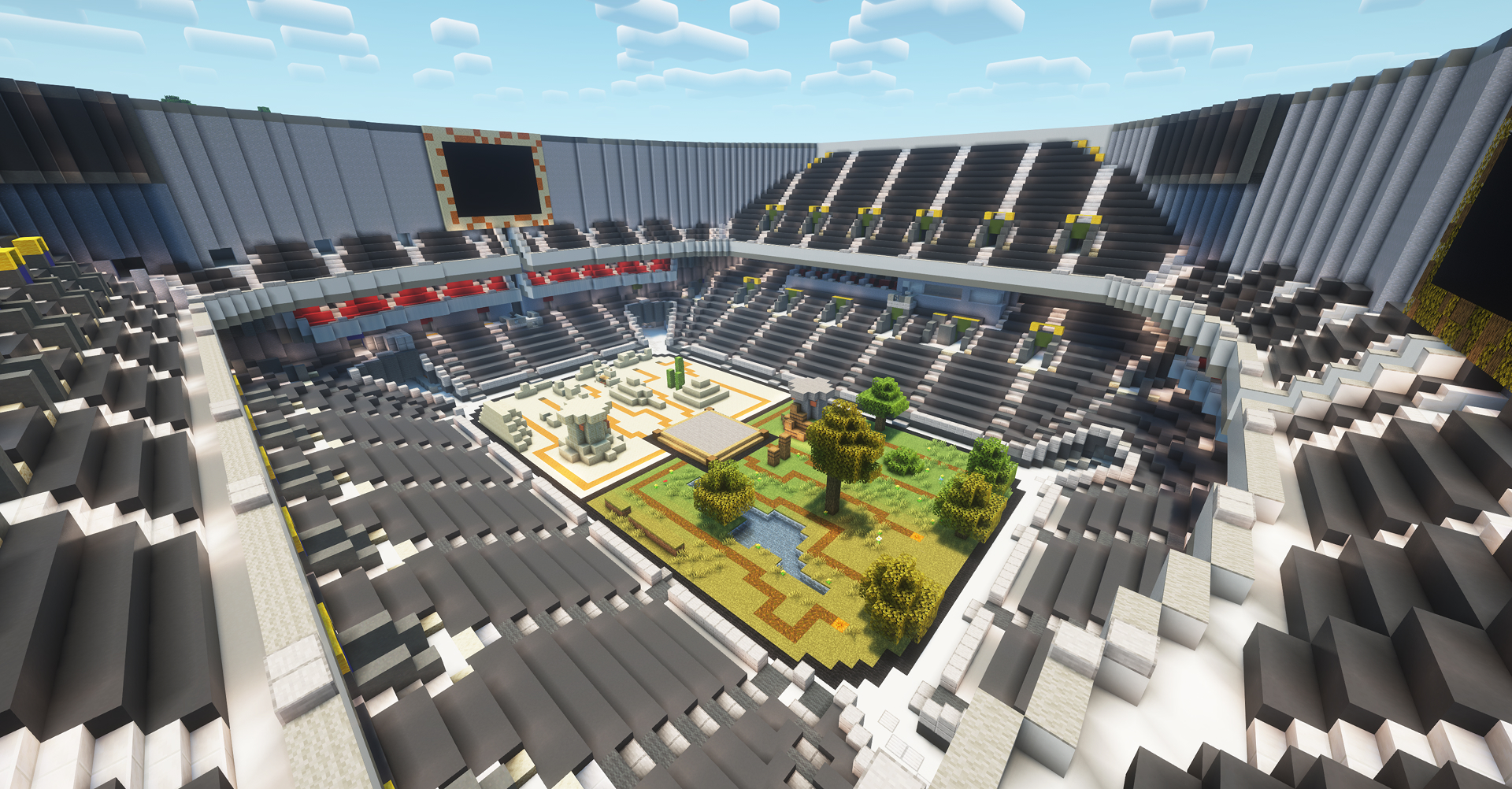
The goal of the game is to witness an intense battle between two teams of monsters in the heart of the arena. As a commentator, you engage with the audience, providing thrilling commentary on the action. The appearance of various mobs and events is entirely dictated by the viewers, who can strengthen either the forest or desert army by sending gifts and likes.
If one team's mobs are completely wiped out from the paths and arena, a countdown timer begins. If it reaches zero, the opposing team wins and earns a point on the scoreboard.
Viewers can support their chosen team by triggering three types of events through gifts:
- Mob Spawning – Viewers can summon mobs of varying strength, named after them, which march toward the arena. There, they clash with the opposing team’s monsters. These mobs may include zombies, skeletons, foxes, wolves, spiders, husks, llamas, pillagers, vindicators, endermites, and more.
- Effect Triggers – Viewers can call upon powerful buffs or debuffs. For example, they can slow down an enemy team’s mobs on their way to the arena or speed up their own. Other effects include summoning an arrow rain to eliminate monsters or even unleashing a dragon that flies from the arena’s center to burn all the mobs of the selected team.
- Special Mob Summoning – Some unique mobs provide team-wide advantages or disadvantages. The Warden, Vex, Magma Cube, and Witch appear on a tower, strengthening their team or weakening the enemy for a limited time.
Another feature of the plugin is the ability for the streamer to equip monsters selected by viewers such as: zombie, husk, big zombie, big husk, skeleton, drowned man, with different armor and weapons. And do not forget to change the angle of the stream to avoid a strike for AFK from TikTok and show the epic battle of teams from different angles.
This game offers a simple yet unique experience, designed to attract new subscribers to your stream by allowing viewers to actively participate and influence the outcome of the battle.
Comandos

/battlefield create
/battlefield delete
/battlefield edit
/battlefield tp
/battlefield reset_counter

/battlefield clear

/battlefield limit_mobs 5

/battlefield time 10

/battlefield tnt 3 nickname

/battlefield lightning

/battlefield arrows

/battlefield anvil

/battlefield random_item

/battlefield slowpath desert 10

/battlefield fastpath forest 15

/battlefield addd

/battlefield addf

/battlefield dragon desert

/battlefield zombie forest 0

/battlefield witch_tower desert 10

/battlefield magmacube_tower forest 15

/battlefield vex_tower desert 20

/battlefield warden_tower forest 15

/battlefield drop_items

/battlefield hazards

/battlefield shrink

/battlefield meteor

/battlefield bees
Dicas gerais para configurar o servidor de Minecraft
- /gamerule keepInventory true — seu personagem não perde itens nem blocos ao morrer.
- /gamerule sendCommandFeedback false — não mostra no chat os comandos executados pelo servidor.
- /time set day — define o dia no servidor.
- /gamerule doDaylightCycle false — não alterna entre dia e noite.
- /gamerule doWeatherCycle false — a chuva não muda para sol e vice-versa.
- /weather clear — define clima limpo no servidor.
- /gamemode creative — muda o modo de jogo para criativo.
- /gamemode survival — muda o modo de jogo para sobrevivência.
Estes comandos só funcionam se você for administrador do servidor (OP). Para se tornar administrador, digite no terminal do servidor: op NickName.