
Description
MAP is a plugin for interactive TikTok broadcasts from Stream To Earn. Already available for PRO users on server version 1.21.
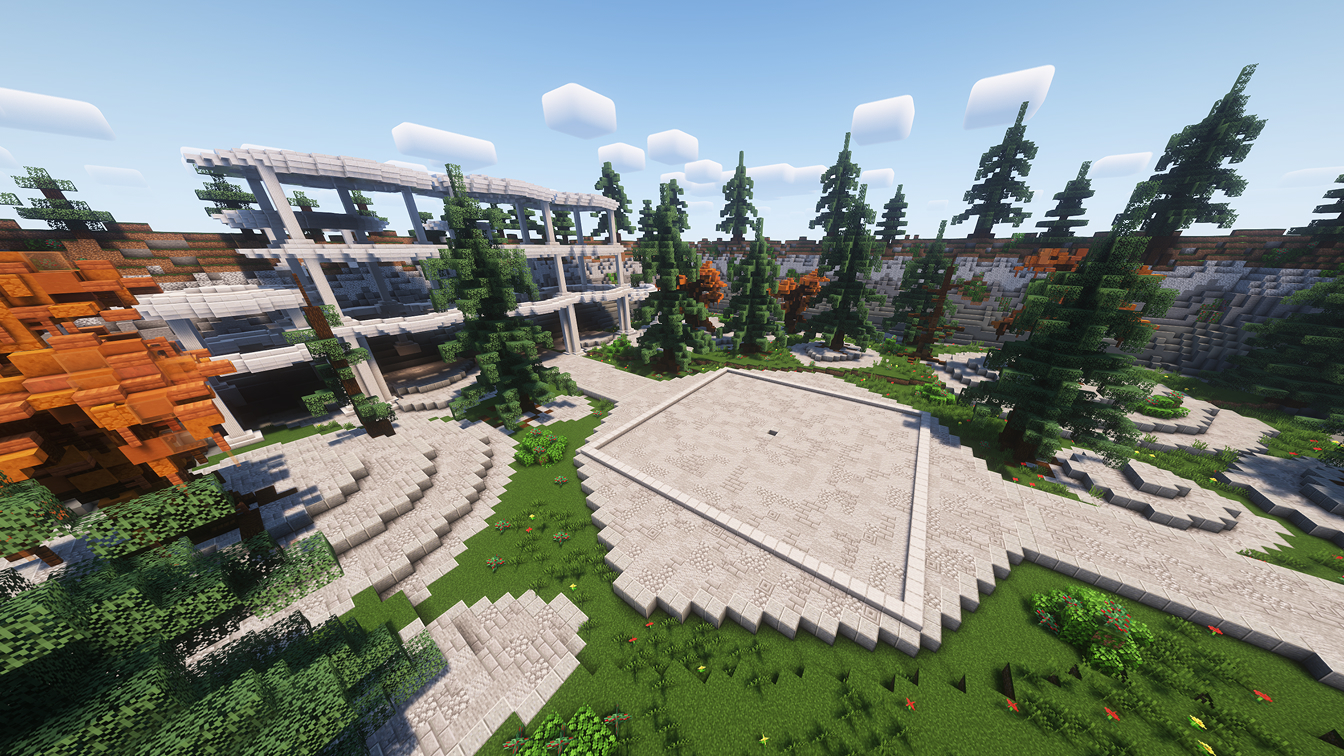
The purpose of the plugin is to add beauty to your stream. It has 6 maps - locations. When player enter the command /map create (map name), an environment for game plugin will be created.
In the center of the created scenery, there is a depression of 1 block for ease of orientation. The streamer needs to go to this place and then, using, for example, the command /bedrock create, create a playing field.
Different maps can be used with more than a dozen ready-made plugins from Stream To Earn.
Instructions
1. Installing the Plugin
- Download and install the "StreamToEarn" program.
- After logging in, set up a new Minecraft server on the main page of the program in the "Minecraft Local Server" section, or choose an existing server if available.
- In the same window, you'll see a button "Plugin Manager." Find the necessary plugin there and click "Install."
- Done! You can now start the server and join the game.
2. Setting Up the map
Select a location within the game world for creating the game field. It should be within the playable area. Then enter the command /map create (map name).
Note - when using the /map delete command, the decoration and the game field inside it are deleted. To delete correctly, you must first delete the game plugin, then the decoration.
3. Connect Minecraft Server to TikTok Live
To connect to TikTok, you can use StreamToEarn or other programs. If you're using StreamToEarn, there's already a ready-made template available. You can simply copy it and start using it. For more detailed instructions on how to use StreamToEarn, refer to the "Tutorial" page within the program.
コマンド

/map create mushroom

/map create arena

/map create forest

/map create market

/map create ocean

/map create pyramids

/map delete map_0

/map repair map_0
Minecraft サーバー設定の一般的なヒント
- /gamerule keepInventory true — 死んでもアイテムやブロックを失いません。
- /gamerule sendCommandFeedback false — サーバーが実行したコマンドをチャットに表示しません。
- /time set day — サーバーを昼に設定します。
- /gamerule doDaylightCycle false — 昼夜のサイクルを止めます。
- /gamerule doWeatherCycle false — 雨と晴れの切り替えを止めます。
- /weather clear — サーバーを晴天にします。
- /gamemode creative — ゲームモードをクリエイティブに変更します。
- /gamemode survival — ゲームモードをサバイバルに変更します。
これらのコマンドはサーバーの管理者 (OP) のみ実行できます。サーバーターミナルで op NickName を入力すると管理者になれます。