
Updates
How to make animals walk faster?
In the StreamToEarn program, there is a "Plugin Manager" with a tab called "Installed." There, you can find the installed plugin "Farm" and a button labeled "Edit config." Clicking this button will open a file for editing configurations. In this file, you can find the parameter mob_velocity , which you can change from 1 to 1.5 or 2. After making the change, save the file and restart the server.
Description
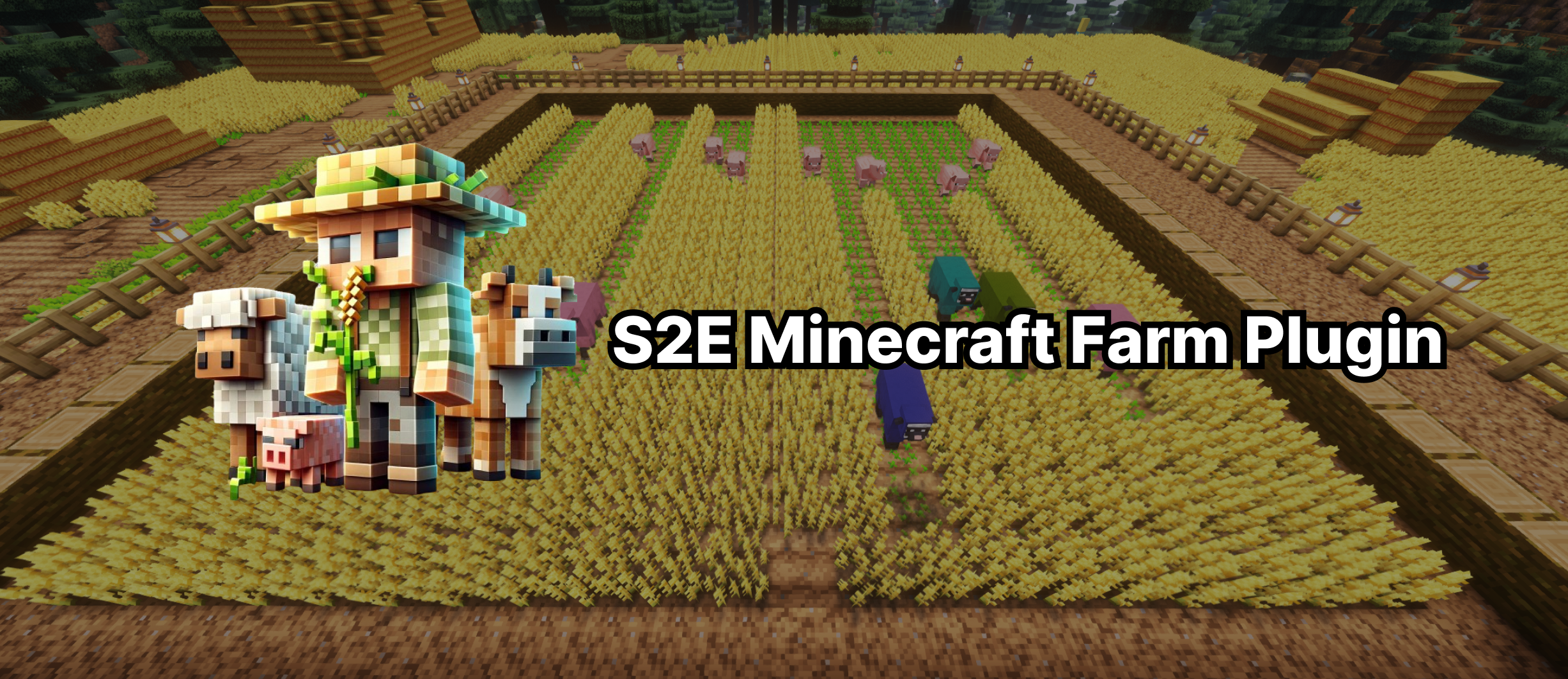
S2E Farm Plugin - This is a plugin for Minecraft that allows a streamer to play a mini-game live during a TikTok Live. With it, you can create a wheat field and add commands that summon various animals that eat the wheat.
This plugin is compatible with StreamToEarn and other programs that track events from the broadcast and transmit them to your Minecraft server.
Features: Your character can grow wheat by hitting the sprouts with a snowball. You need to sow and grow the entire field for the victory timer to start. Different animals have different effects. Animals are created in random rows to avoid spawning in same row for most cases.
The mini-game field is created by one command.
Only one farm is created per server and farm commands are available to all players on the server, even if he is not an operator.
About Demo
Before you opt for the full version, you can use our demo version to check if everything works for you. The demo version contains only one entity, specifically the White Sheep, which is summoned with the command /farm wsheep . Otherwise, the plugin functions just like the full version.
Animals
- sheep - Eats only ripe wheat and leaves behind wheat sprouts.
- pig - Eats only ripe wheat and leaves behind wheat sprouts.
- cow - It eats only ripe wheat and leaves behind empty land that needs to be planted with sprouts (wheat seed).
- villager - He walks along one row and sows the field.
- svillager - He runs around the field, looking for empty cells to sow wheat and dies when he sows 20 blocks.
- slime - It destroys three rows of fields at once, including sprouts.
- chicken - Walks along the row and eats only sprouts (wheat seed). Can be destroyed by a snowball.
- schicken - Smart chicken, created just above the field up in the air above center area. After landing looks for wheat sprouts and eats them until it is destroyed by a snowball.
- horses - Works like a cow, only it creates simultaneously on all rows, leaving only seed behind.
- dragon- The dragon flies over the field and burns everything in its path, leaving behind only clean land.
- wolf- Wolf that runs around the entire field and only eats animals (can be configured in config file)
- Magma cube- It destroys 5 rows of fields at once, including sprouts.
TNT
It generates randomly above the field and destroys everything within the standard TNT radius. It's important that before starting to use TNT in your broadcasts, you need to save the farm with the command /farm save so that it regenerates automatically.
/farm save - saves a copy of your field with a 10-block buffer zone around it, so that decorations are also gradually restored after explosions.
Instructions
1) Transfer the plugin's .jar file to the plugins folder of your server. It works well with the PaperMC version 1.20.*. Restart your server if it was on. For a quick restart, you can use the command /reload confirm.
2) Choose the location for your farm. Find the coordinates of the central block. To do this, you can press F3 and look at your coordinates or the coordinates of the block you are looking at.
3) Next, enter the command using either of the following methods: For a field centered under your current position, use /farm create ~ ~ ~ 10 12. The "~" symbols represent your current coordinates, creating the field directly beneath you. Alternatively, if you want to specify a particular location, use /farm create 200 97 182 10 12, where 200 97 182 are the exact coordinates of the field's center. In both cases, 10 represents the field's radius (the number of blocks in every direction from the field's center), and 12 is the number of seconds until victory when the entire field is sown. A timer will appear in the center of the screen when the entire field is sown.
4) Switch to Creative mode, if you haven't alreadys done so, by using the command /gamemode creative, or by pressing F3+F4 if you are an operator (OP) on the server.
5) Important! To prevent the field from drying out and to stop mobs from dropping loot, two additional commands need to be executed to change the server rules.
- /gamerule randomTickSpeed 0- so that the farmland does not dry out to dirt and the wheat does not grow on its own
- /gamerule doMobLoot false - Mobs will no longer drop loot and items
6) Use commands to create animals to see how they work, for example, /farm wsheep Name.
7) Define which events will be executed for which actions in your program such as StreamToEarn or tikfinity
Config file
The config file is generated automatically in the server's plugins\s2e-farm\config.yml directory after you start the server with the plugin version no less than 1.1.0. After any changes in config.yml, you need to manually restart the server or use the command /reload confirm to apply the changes.
الأوامر

/farm create ~ ~ ~ 10 10
/farm stop
/farm save
/farm restore

/farm fill

/farm clear

/farm sheep {nickname}

/farm wsheep {nickname}

/farm ssheep {nickname}

/farm pig {nickname}

/farm cow {nickname}

/farm chicken {nickname}

/farm superchicken {nickname}

/farm schicken {nickname}

/farm superschicken {nickname}

/farm slime {nickname}

/farm villager {nickname}

/farm svillager {nickname}

/farm horses {nickname}

/farm lightning

/farm cobwebs

/farm dragon {nickname}

/farm wolf {nickname}

/farm mcube {nickname}

/farm tnt 300.

/farm ghast (number)

/farm wither {nickname}

/farm fill_seeds

/farm prison 10
نصائح عامة لإعداد خادم Minecraft
- /gamerule keepInventory true — لن تسقط من شخصيتك الأغراض والكتل عند الموت.
- /gamerule sendCommandFeedback false — لن تظهر في الدردشة الأوامر التي ينفّذها السيرفر.
- /time set day — يضبط الوقت على النهار في السيرفر.
- /gamerule doDaylightCycle false — يوقف تبادل الليل والنهار.
- /gamerule doWeatherCycle false — لن يتبدّل المطر بالشمس والعكس.
- /weather clear — يضبط الطقس صافياً في السيرفر.
- /gamemode creative — يحوّل وضع اللعب إلى Creative.
- /gamemode survival — يحوّل وضع اللعب إلى Survival.
لا تعمل هذه الأوامر إلا إذا كنت مشرفاً على السيرفر (OP). لتجعل نفسك مشرفاً، اكتب في طرفية السيرفر: op NickName.